 Kitchen Wizard
Save a recipe from YouTube
Kitchen Wizard reads a YouTube video's description and the cook's linked recipe page to write the recipe out for you.
Share it to Kitchen Wizard
- Under the video (or on a Short), tap Share.
- Tap More, then Kitchen Wizard.
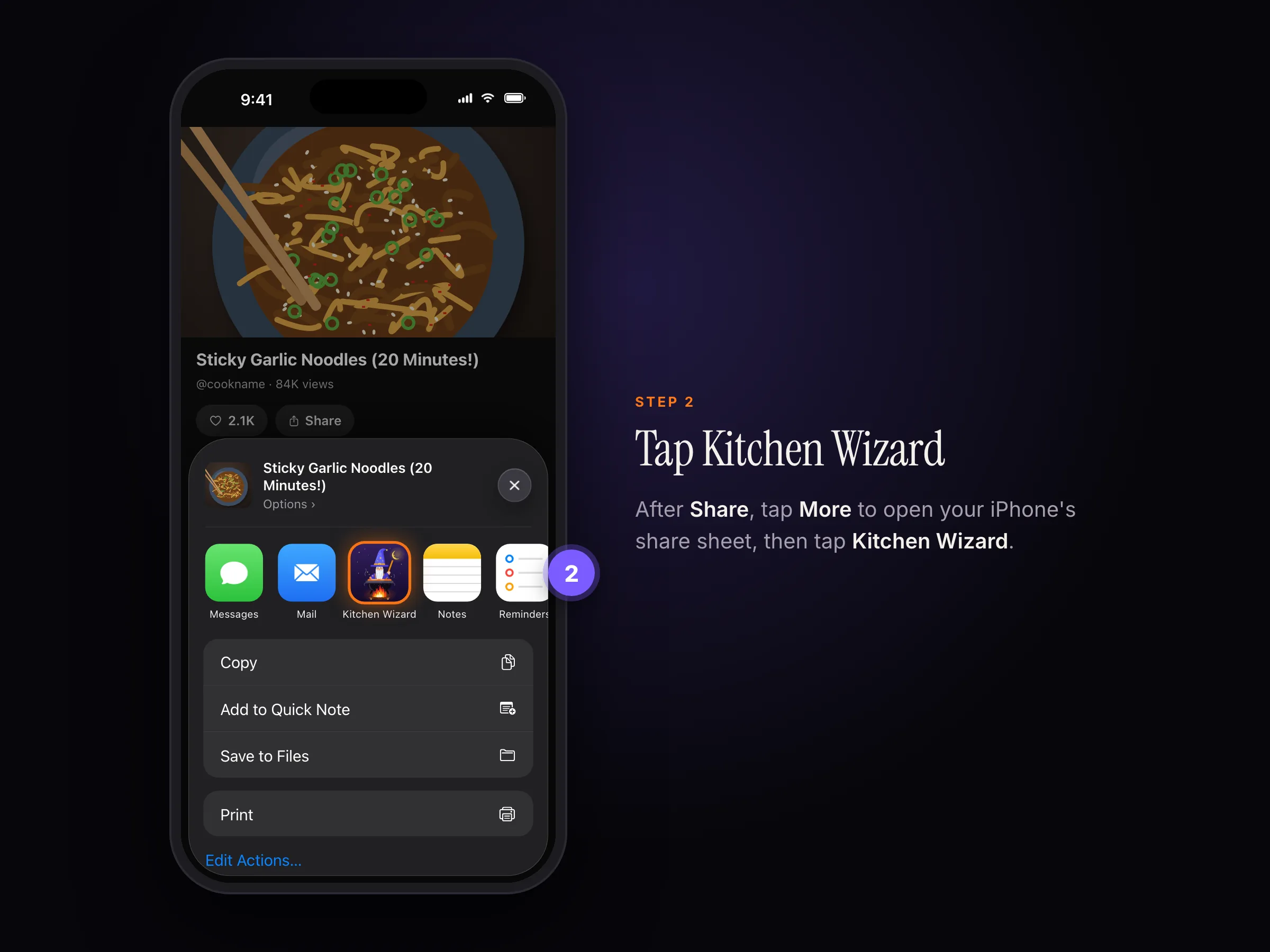
The share sheet after tapping More: tap Kitchen Wizard. - Check the recipe and tap Save.
Or tap Share › Copy link, then in Kitchen Wizard choose Scan recipe › Paste recipe link.
What Kitchen Wizard reads
- The description, where many cooks write the full recipe.
- The cook's recipe page, when the description links to one. You get their exact amounts.
The recipe credits the channel. Tap it to open the video.
The recipe is only spoken? Kitchen Wizard can't hear a YouTube video through the link. Make a screen recording of it with the sound on, then choose Scan recipe › Choose a video. See Save a recipe from a video.
YouTube's pictures aren't kept with the recipe. Add your own photo, or tap the camera button on the recipe's photo (or ••• › Change photo), then Make a picture with Apple Intelligence.
Reading a YouTube recipe needs Apple Intelligence: iOS 26 on an iPhone, iPad or Mac that supports it, with Apple Intelligence turned on. Kitchen Wizard reads videos through YouTube API Services; by using YouTube links you agree to the YouTube Terms of Service. See our privacy policy.
Still stuck? In the app, go to Settings › Help › Report a bug, or email support@rpmenterprisesinc.com.