 Kitchen Wizard
Save a recipe from a website
Save just the recipe from any recipe website: no ads, no life story, with the ingredient groups the site uses (like "For the sauce").
Share it from Safari
- Open the recipe page in Safari (or any app with a Share button).
- Tap Share, then Kitchen Wizard.
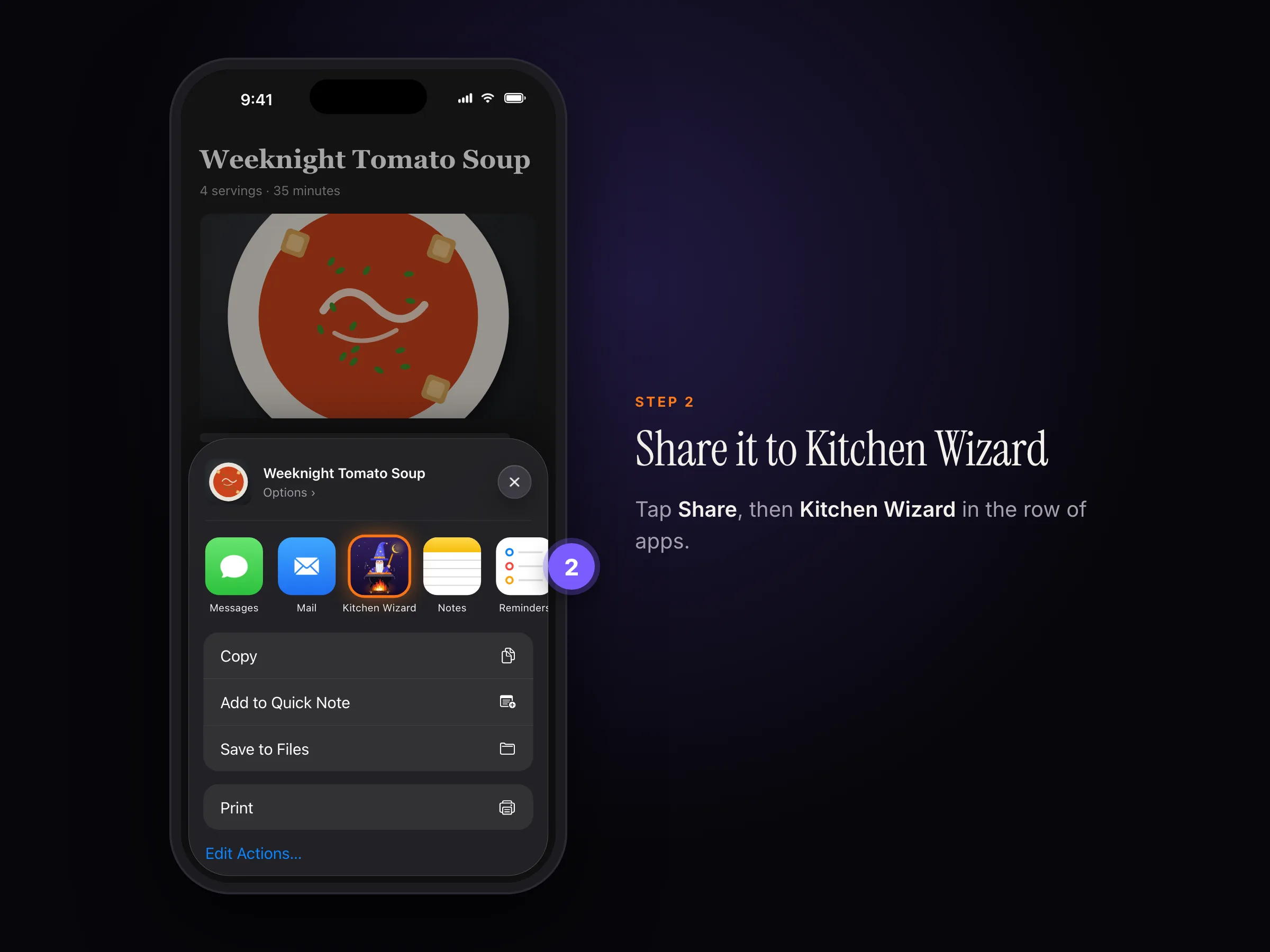
Share › Kitchen Wizard - Check the recipe and tap Save.
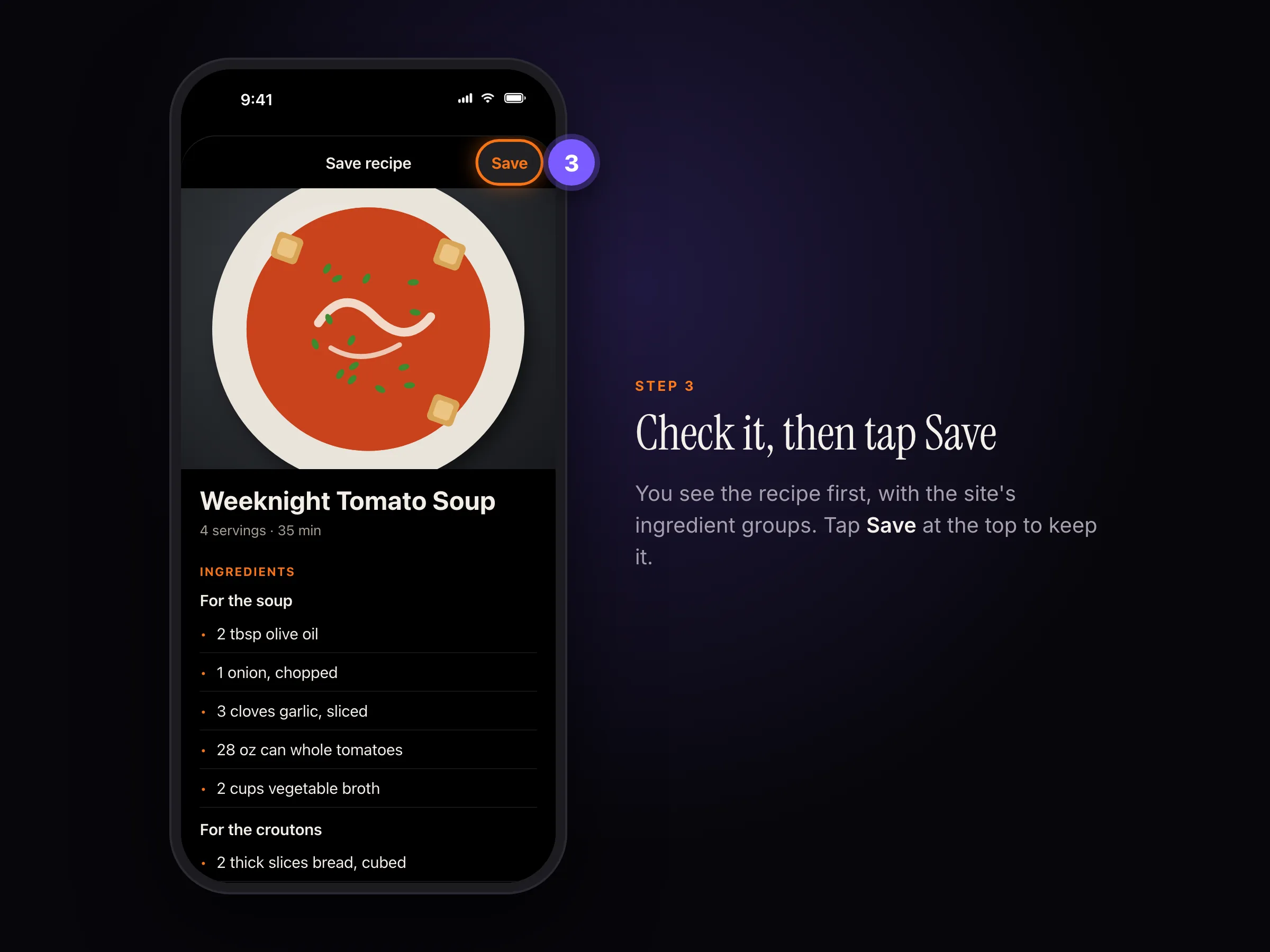
Check the recipe, then tap Save at the top.
Or paste the link
- Copy the page's link.
- In Kitchen Wizard, tap Scan recipe, then Paste recipe link.
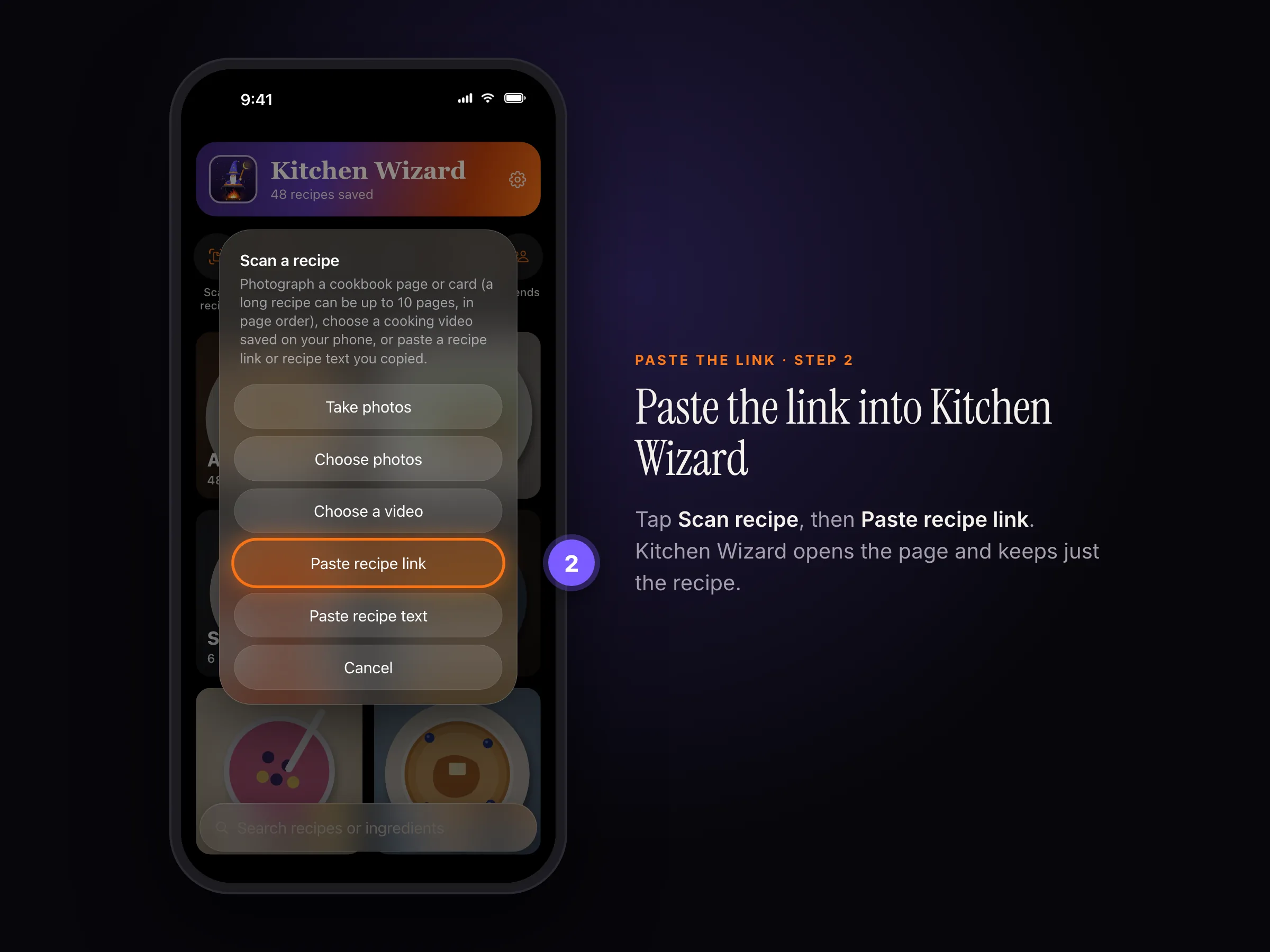
Scan recipe › Paste recipe link
✓
The site wouldn't hand over the recipe? Kitchen Wizard opens the page for you to see it load. Make sure it's the recipe itself, not a list or a home page.
i
By default, Kitchen Wizard opens recipe links you paste or share privately, so the site's cookies aren't kept. Change this in Settings › Privacy › Open recipe links privately.
Still stuck? In the app, go to Settings › Help › Report a bug, or email support@rpmenterprisesinc.com.