 Kitchen Wizard
Save recipes from Pinterest
Bring in a whole Pinterest board at once, or one pin at a time. Kitchen Wizard follows each pin to its recipe website and saves just the recipe.
A whole board Best
- In Kitchen Wizard, tap Find recipes, then Pinterest, then Sign in with Pinterest.
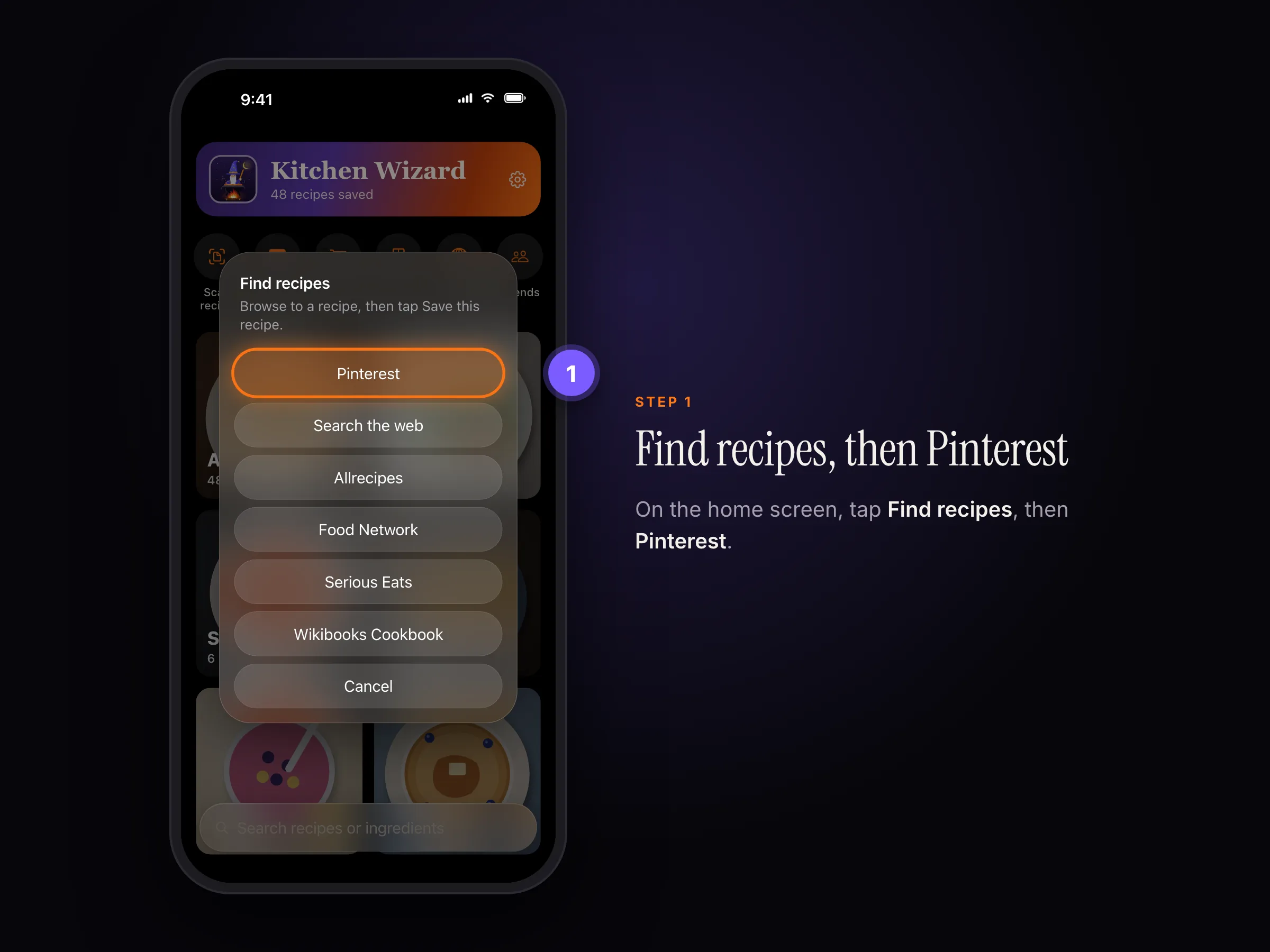
Find recipes › Pinterest 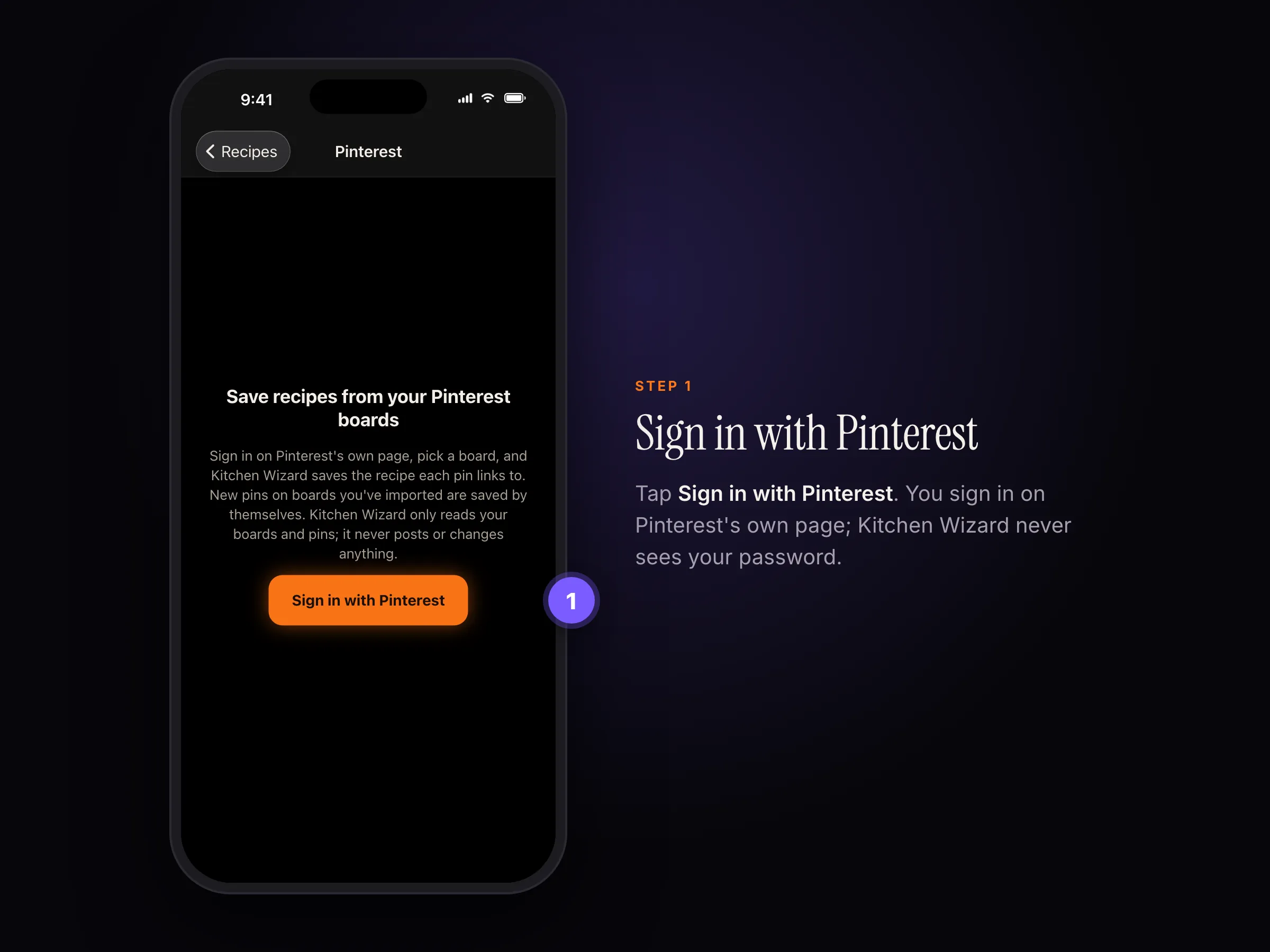
Tap Sign in with Pinterest. - Sign in on Pinterest's own page and tap Allow. Kitchen Wizard can only read your boards and pins; it can't post or change anything.
- Pick a board. Its pins appear; choose the ones you want and tap Save.
Kitchen Wizard remembers the board. New pins on it are saved by themselves when you open the app (at most every few hours). Pull down on the home screen to check now.
Pinterest limits which apps can read personal accounts, and only shares pins on your own boards. If Kitchen Wizard says Pinterest isn't letting it read your pins, use One pin below.
One pin
- On a pin, tap Visit to open the recipe website.
- Tap Share, then Kitchen Wizard.
Pins you've saved to your own boards can also be shared straight from Pinterest once you're signed in.
A pin with no website (an uploaded photo or video) has no recipe page to follow. Take a screenshot of it and choose Scan recipe › Choose photos.
To disconnect Pinterest, open Kitchen Wizard's Pinterest screen and tap Sign out at the top. Your sign-in is kept only in your device's keychain.
Still stuck? In the app, go to Settings › Help › Report a bug, or email support@rpmenterprisesinc.com.